
“The workers said everything was connected.” The RJ45 Ethernet sockets were never even wired
The client needed his TV connected to internet television. He thought a technician would come, crimp one RJ45 plug by the door and everything would work — after all, the renovation workers had said “everything is done”. It turned out the cable was not connected in any socket. Here is the story with photos: what it looks like and how to find it.
How it started
A client wrote to me: he needed an internet-TV box connected to his television. In his words, the job was simple — by the front door some wires come out of the wall, one of them needs an RJ45 plug, and everything will work.
I came and saw not one but four cables by the door. These are the ends of lines that run through the walls to different rooms. No labels — from the outside you cannot tell which cable goes where. So I said right away: all four need to be done, and then there will be wired internet in every room.
And I honestly warned him: most likely the cable is not connected in the room sockets either. I have run into this five or six times already — and never once after a renovation was it all finished. The client did not believe it: “The workers said they connected everything.” Fine, I said, let’s start and check.
All four crimped — no signal anywhere
First I made one RJ45 plug and went round the rooms: no signal, no, no. I crimped all four cables to the standard — still no connection in a single socket.
The job was hard precisely because of inaccurate information: the client is sure everything in the walls is ready, but in reality nobody knows which cable goes where and whether it is connected anywhere at all. You have to search — in effect, sort out someone else’s work.
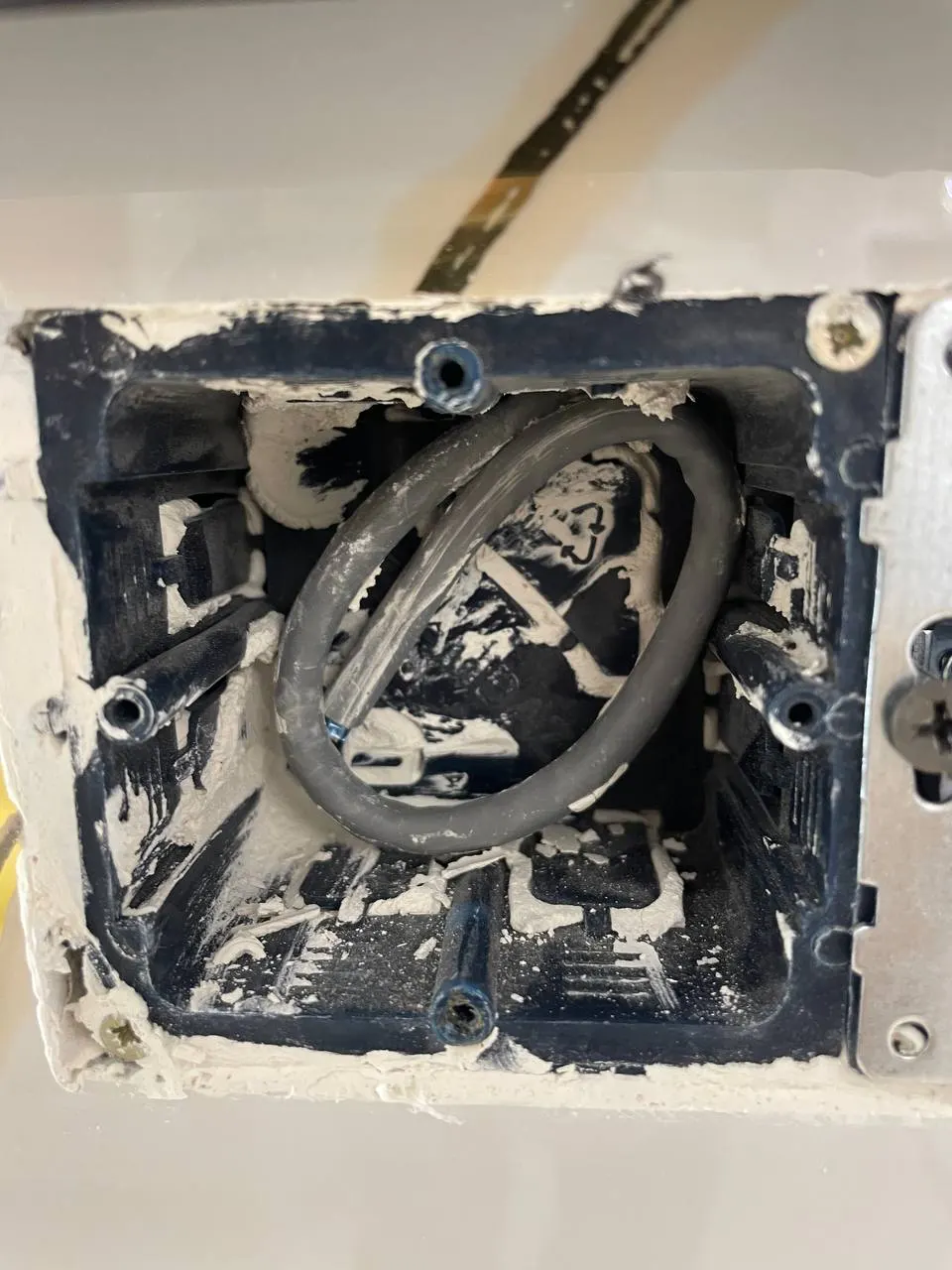
I opened the socket in the small room
So as not to take down the huge TV straight away, I started with the small room — that socket was easier to reach. The RJ45 data socket sits in one frame with ordinary 220 V power sockets, so taking it apart means working on the electrics. You must not do this without electrical knowledge. I have that experience, so I carefully removed the frame and the plastic.
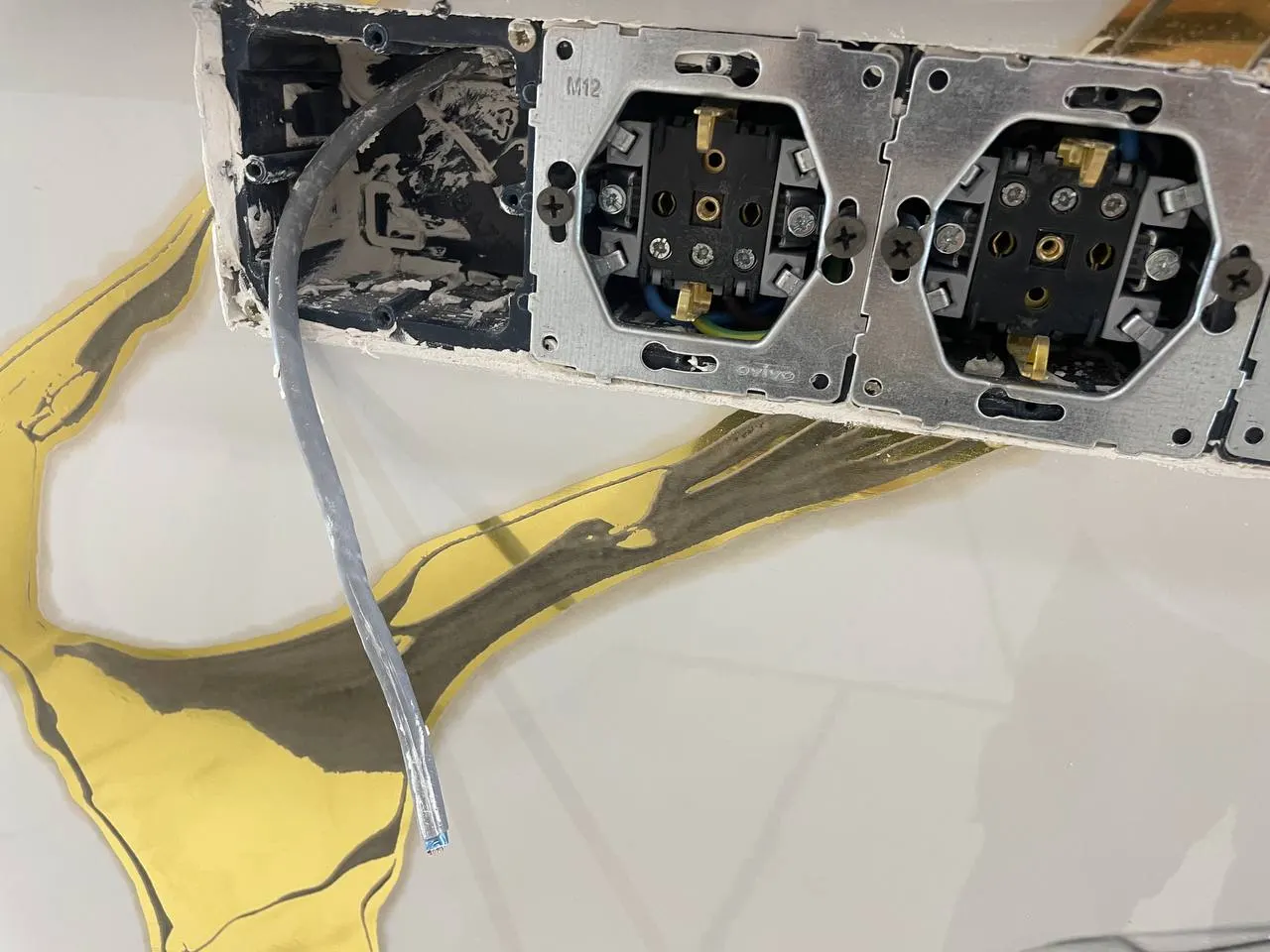
The picture was exactly what I had warned about: the cable was simply coiled in the back box. The socket module is in place, the front plate is in place, everything looks nice from the outside — and inside the wire is connected to nothing. I showed it to the client.
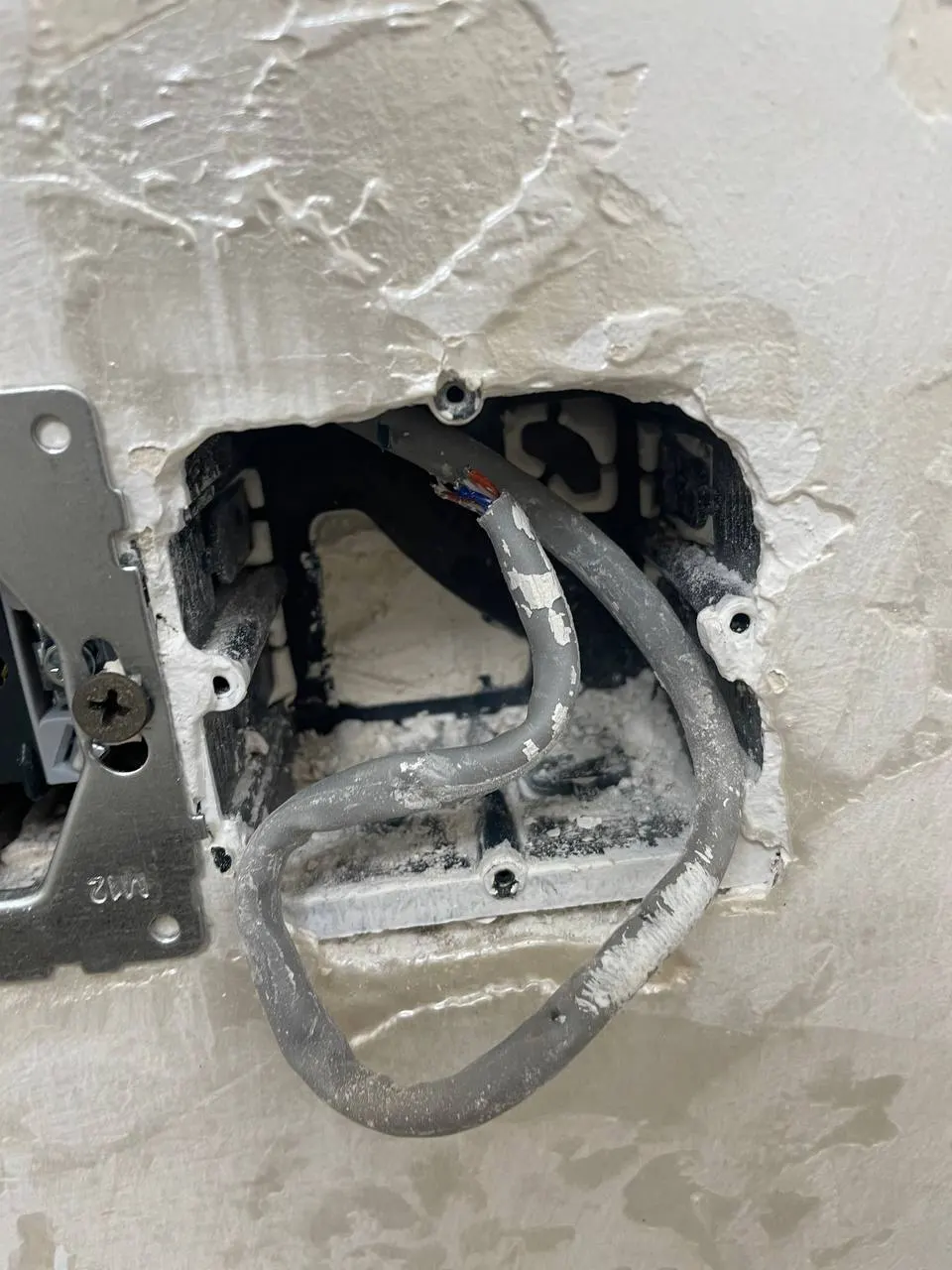
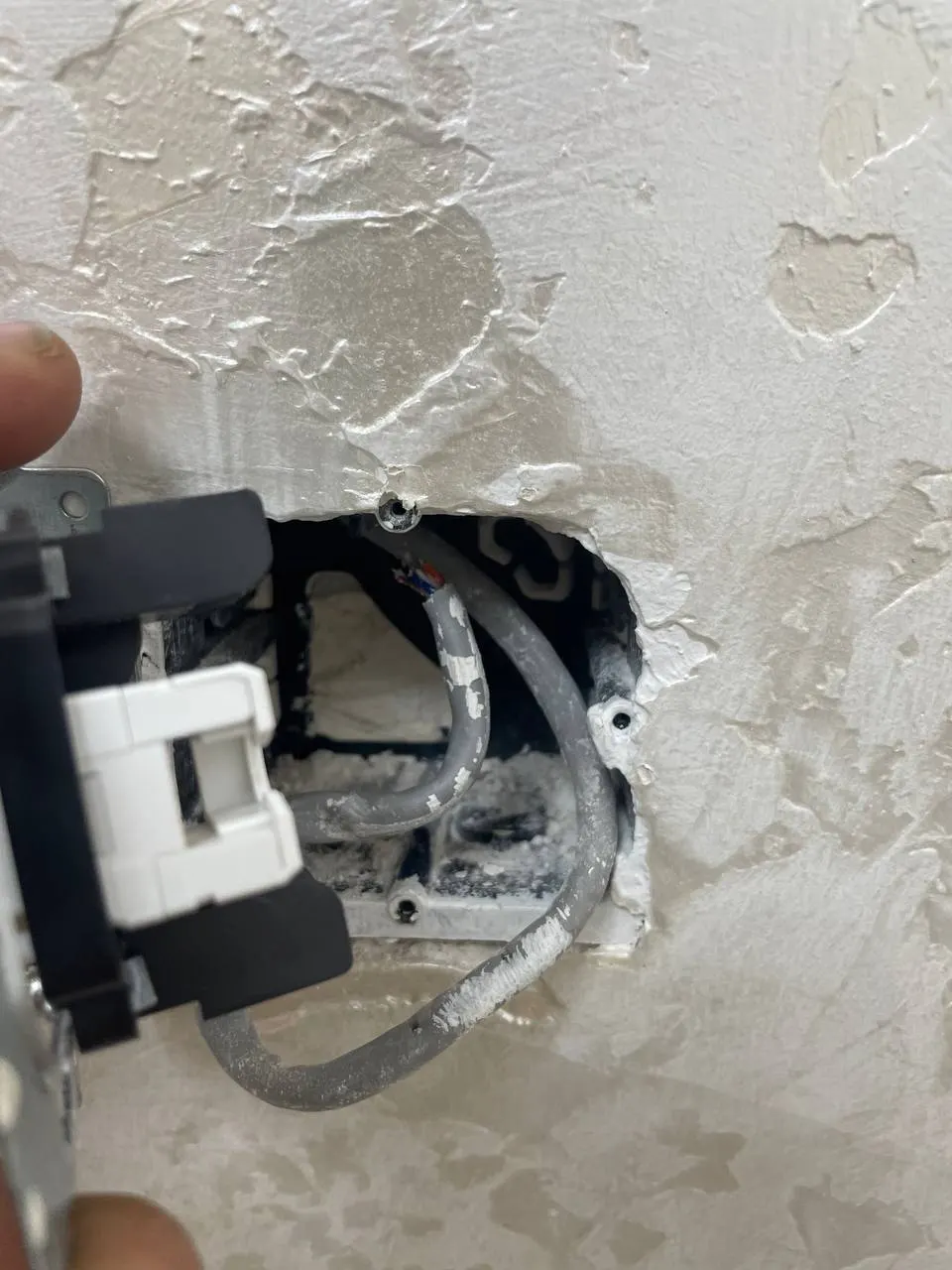
The client got very angry with those workers and wanted to go and have it out with them at once. I stopped him: no need, let me do it all now, and you can deal with them later. In effect he had been deceived: they laid the cable but did not connect it — and said everything was connected.
We had to take the TV down
Since nothing was connected in the small room, it was clear that behind the TV it would be the same. And there was no way to reach that socket without taking the TV down. The TV is huge and heavy — the two of us barely lifted it off and carefully set it aside. The client was understandably nervous.
I took apart the socket block behind the TV — and yes, the cable was again lying in the wall unconnected.
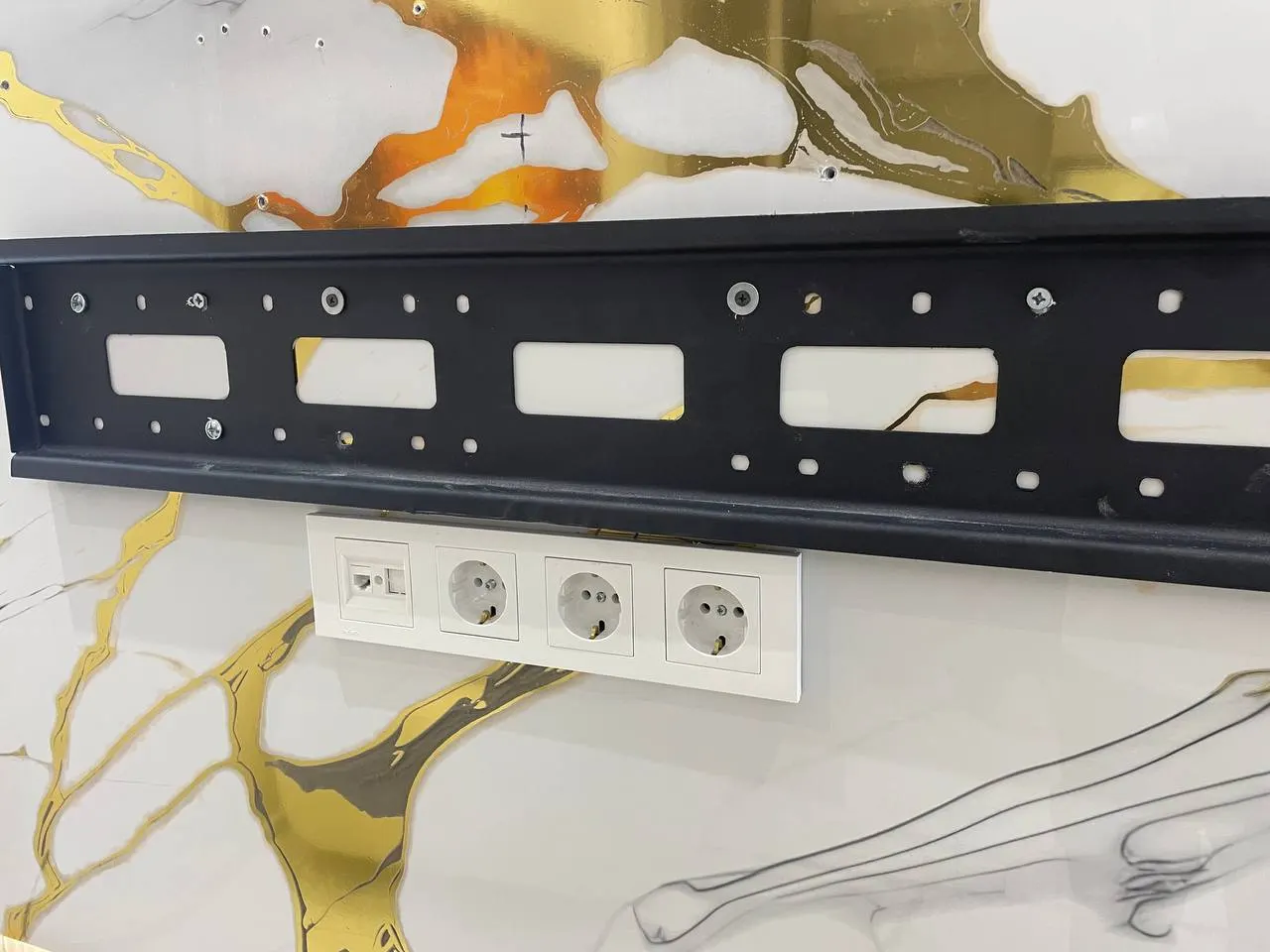
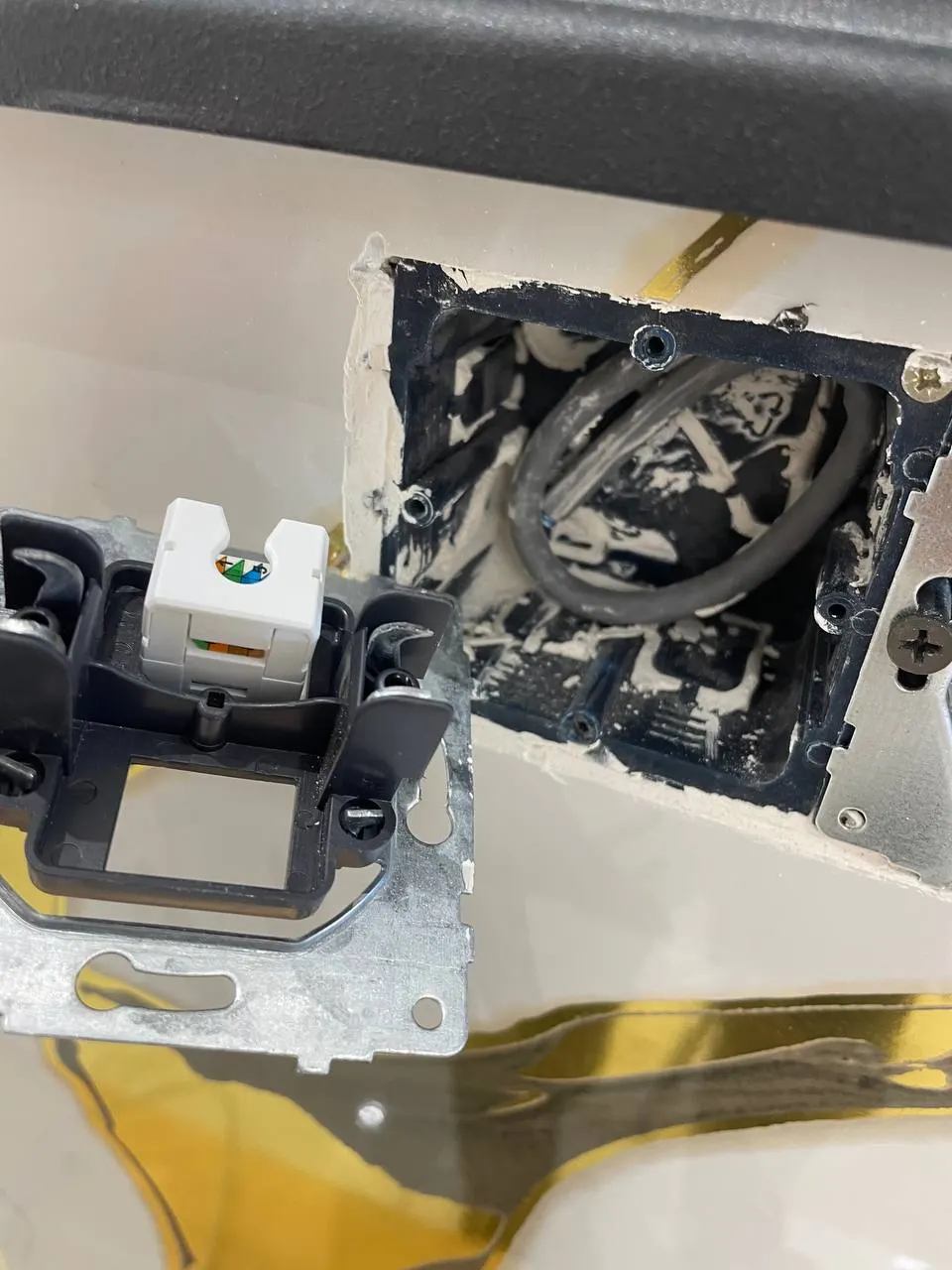
How I connected it
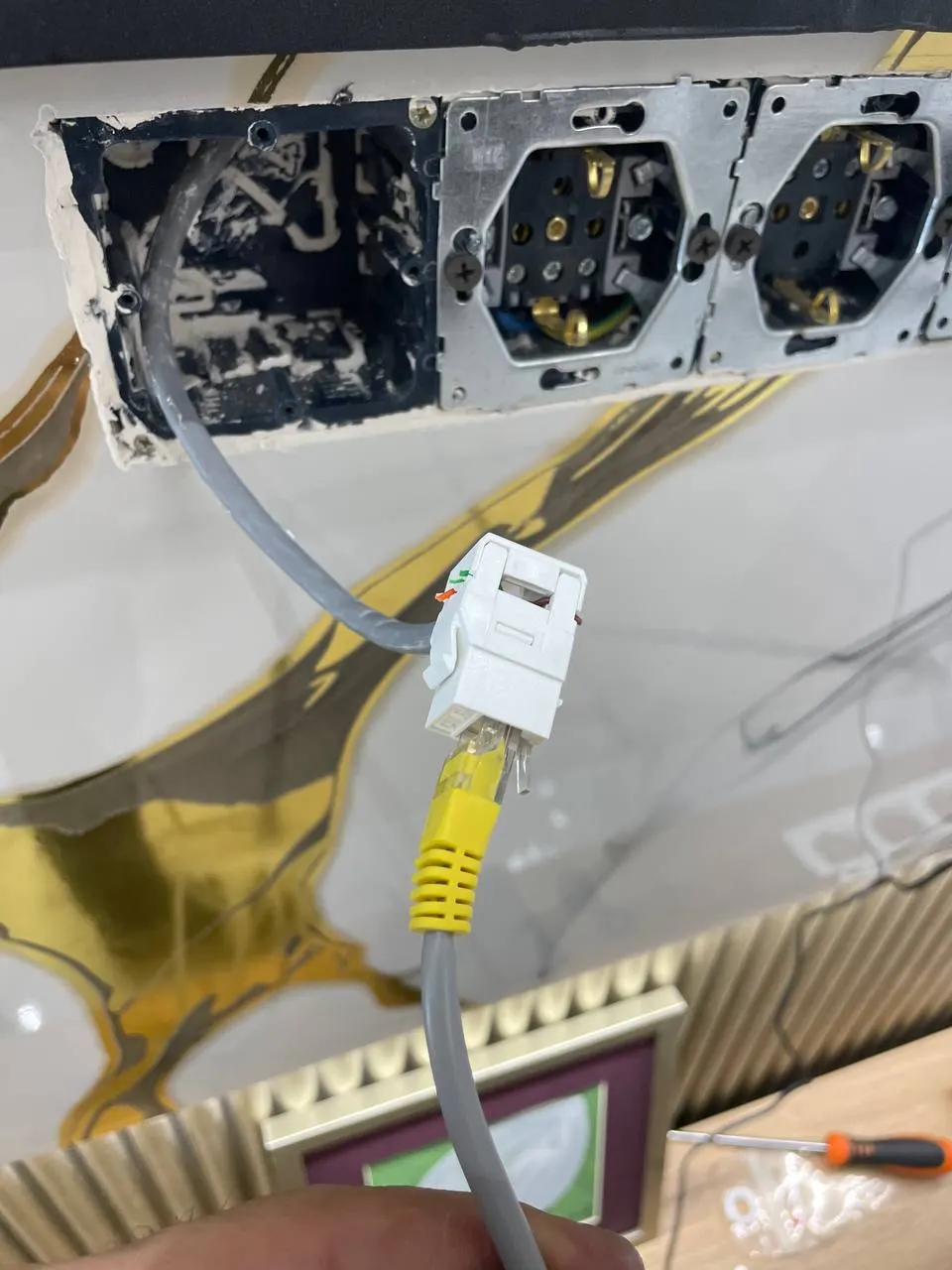
I terminated the cable on the socket module to the T568B standard — the usual way. I took a photo, showed it and explained to the client what is connected and how. He is a knowledgeable person and understood straight away. By the way, we spoke three languages: English, Georgian and a little Russian.
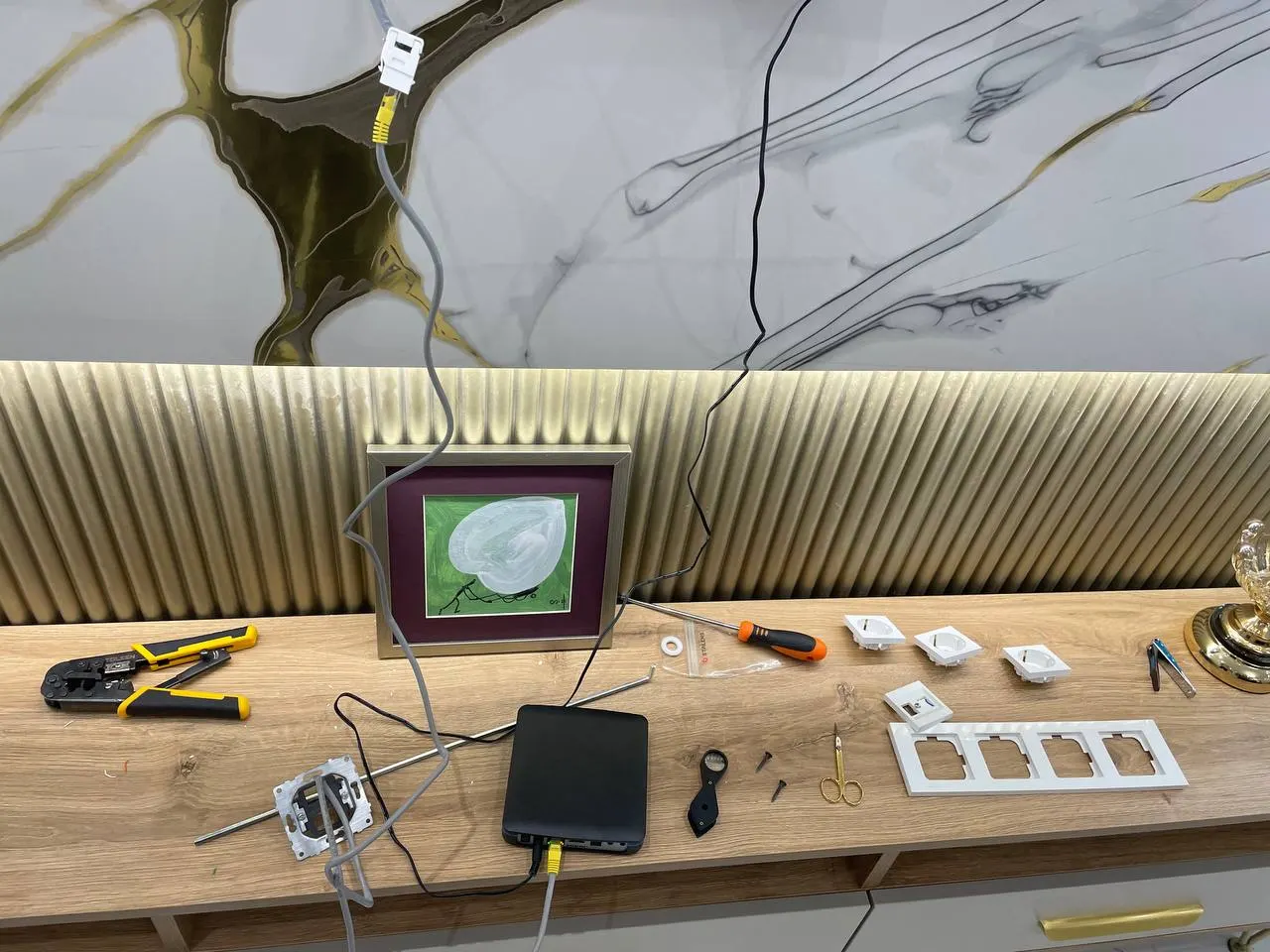
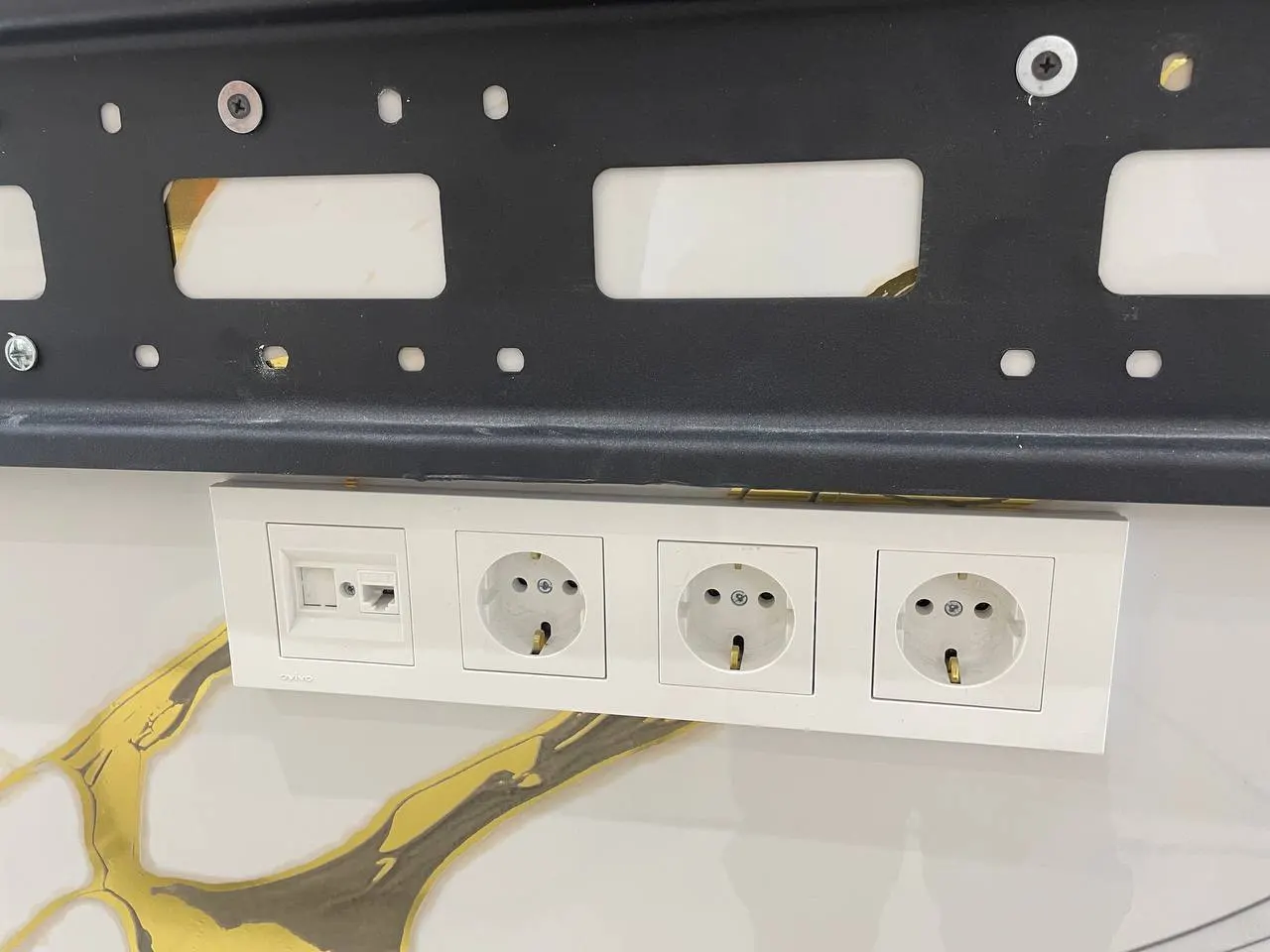
Then I put everything back together, we hung the TV back on the wall — and everything worked. That really was the problem.
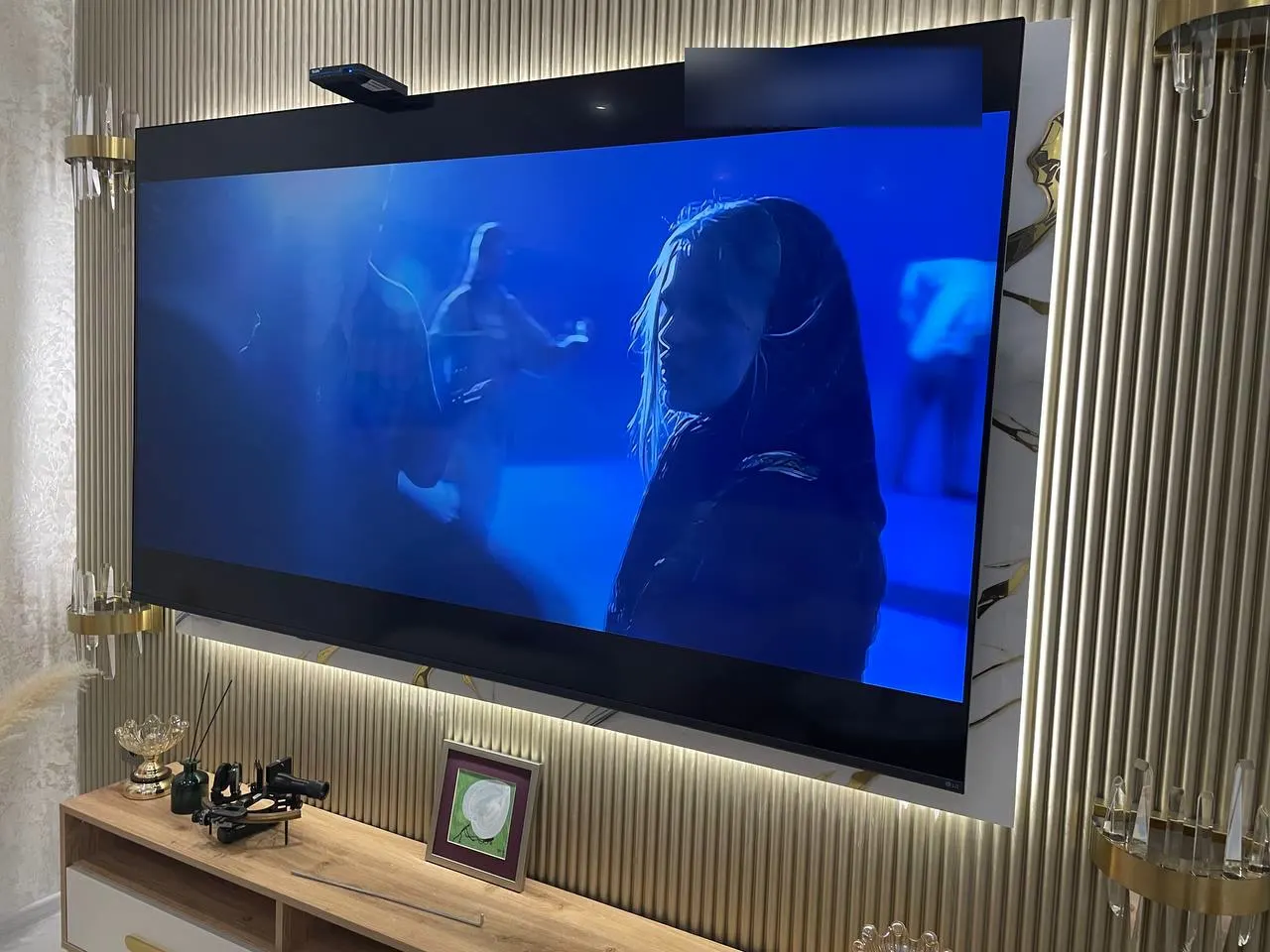
How long it took and why
The job took from one hour to an hour and a half. Even if we had taken the TV down at the very start, it would still have been hard work: after workers like that you have to search for what was left unfinished. But I went step by step — and found everything.
What things are called — briefly
- <b>RJ45 data (Ethernet) wall socket</b> — a wall socket for wired internet, usually next to the TV or a desk.
- <b>Keystone module</b> — the “insides” of the socket where the eight cable conductors are punched down.
- <b>Back box</b> — the box in the wall that holds the socket. In this story the cable was just lying in it.
- <b>Twisted pair (UTP, Cat 5e or Cat 6)</b> — network cable with eight wires twisted in pairs.
- <b>RJ45 connector</b> — the plastic plug on the end of a cable; it is “crimped” with a special tool, a crimper.
- <b>T568B</b> — the standard colour order of the wires. If the ends are made to different schemes, there is no signal.
- <b>Patch cord</b> — a short ready-made cable from the socket to the TV, the box or the computer.
My conclusion
It would be better if workers told the truth. But in most cases they will not: they just want to finish quickly and leave. From the outside everything looks perfect — straight frames, nice sockets — while the cable in the wall is connected to nothing. You find out later, when the walls are finished, the furniture is in and a heavy TV is hanging.
A simple rule: if the cable ends by the entrance are not crimped, most likely nothing is connected in the room sockets either. Details are in the article Ethernet wall socket not working after renovation: the signs, what to check when you accept a renovation and what to do.
This is exactly the kind of job I do: I find where things are not connected, terminate the sockets and plugs, check every room and connect the TV, the TV box and the computer. More on the internet help page.
The client’s review
★★★★★ Roman S. · Google review, translated from GeorgianI called Tariel about the internet socket (RJ45). I thought the problem was only at the entrance, with the router, but it turned out that in the living room, next to the TV, the cable had not been connected to the socket — that is why we could not connect the TV service. Tariel found the same problem in another room too. Together we took down the big TV, he connected everything correctly, and now everything works everywhere. An attentive and professional technician — I recommend him! Thank you! 🙏
ტარიელს დავურეკე ინტერნეტის როზეტის (RJ45) გამო. მეგონა, პრობლემა მხოლოდ შესასვლელთან, როუტერთან იყო, მაგრამ აღმოჩნდა, რომ დარბაზში, ტელევიზორთან, კაბელი როზეტში შეერთებული არ იყო — ამიტომ ტელევიზიას ვერ ვაერთებდით. ტარიელმა იგივე პრობლემა მეორე ოთახშიც იპოვა. დიდი ტელევიზორი ერთად ჩამოვხსენით, ყველაფერი სწორად შეაერთა და ახლა ყველგან ყველაფერი მუშაობს. ყურადღებიანი და პროფესიონალი ხელოსანი — გირჩევთ! მადლობა! 🙏
Open the reviews on Google →
Thank you to him — it is a real pleasure to work with clients who understand everything and talk calmly. It all went without stress, the job was done and the client was happy.
Author: Tariel, computer technician, Batumi. Details changed to keep the client anonymous. Updated: November 2026. Photos with the flat owner’s permission.
More stories
A medical student’s laptop beeped and would not start: the memory was to blame
A medical student’s laptop beeped and would not start. Two visits to Makhinjauri, a new 8 GB memory module, everything in English — and her review on Google.
I was asked to burn a disc, but what was needed was firmware for a car
“I need files burned to a disc” — we agreed on burning. It turned out there was no file: paid firmware for a specific car had to be found. Why a request should be written in full.