
Ethernet wall socket (RJ45) not working after renovation: most likely the cable was never connected
The renovation is finished, the rooms have neat data sockets, the workers said “everything is connected” — but the TV, the TV box or the computer sees no internet over the cable. I have met this in Batumi five or six times already, and not once was the job finished: the cable was laid, but connecting it was forgotten — or skipped. Here is how to recognise it and what to do.
Signs that the cable in the wall is not connected
- Not a single data socket in the flat gives internet — neither to the TV nor to a laptop.
- By the entrance or the router, cable ends stick out of the wall with no RJ45 plugs and no labels.
- The network light on the TV, box or laptop does not come on — “Network cable unplugged”.
- The workers say “it’s all done”, but you have no plan of which cable goes where.
- Nobody tested the sockets after the renovation — they were just covered with frames.
Why this happens
Laying the cable and terminating the sockets are two different jobs. Laying cable is quick; punching each conductor into a module, crimping the plugs by the entrance and testing every room takes longer and needs tools. From the outside you cannot see the difference: the frame is straight, the socket looks nice. It all comes out later, when the walls are finished, the furniture is in and a heavy TV is hanging.
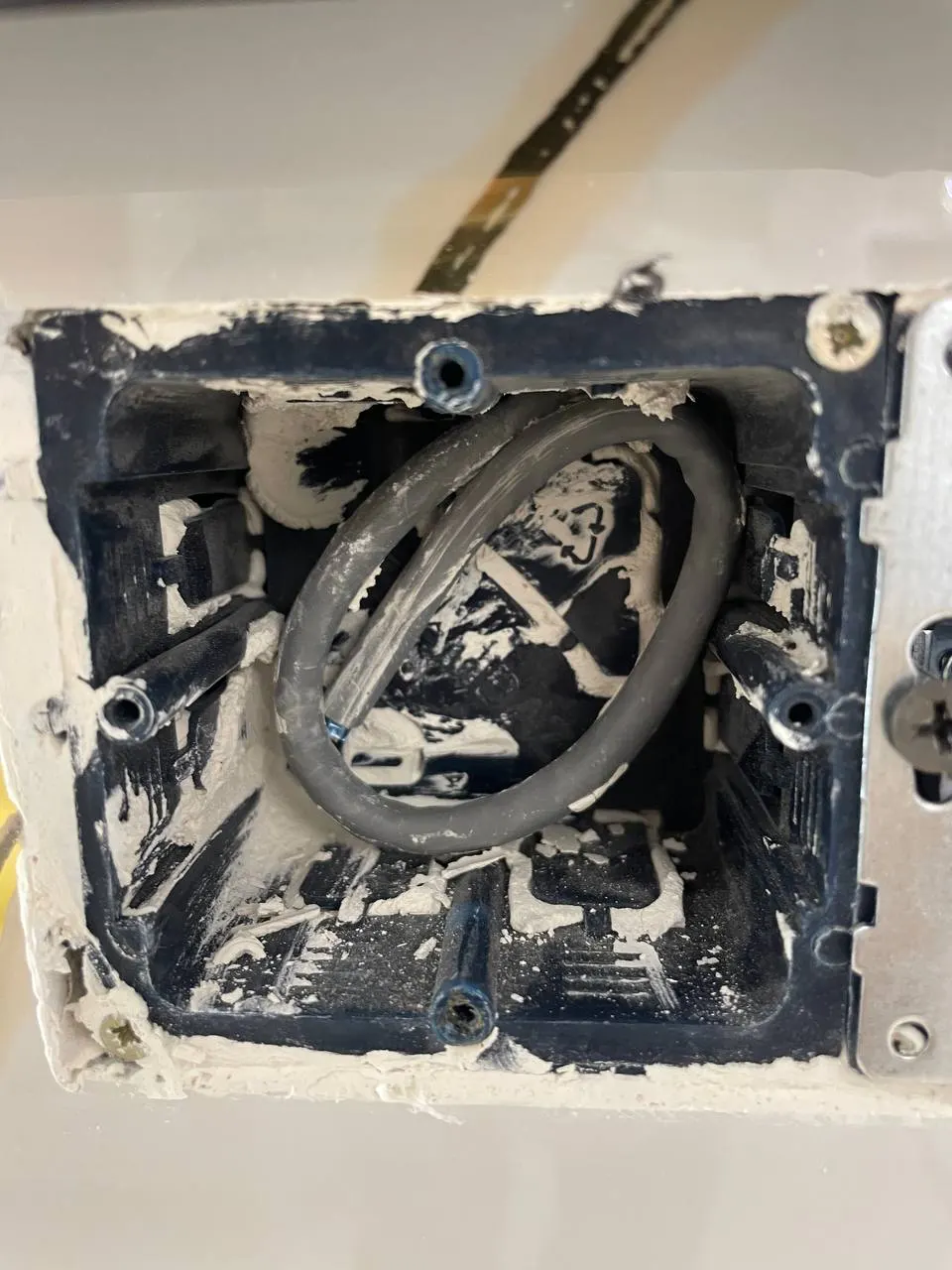
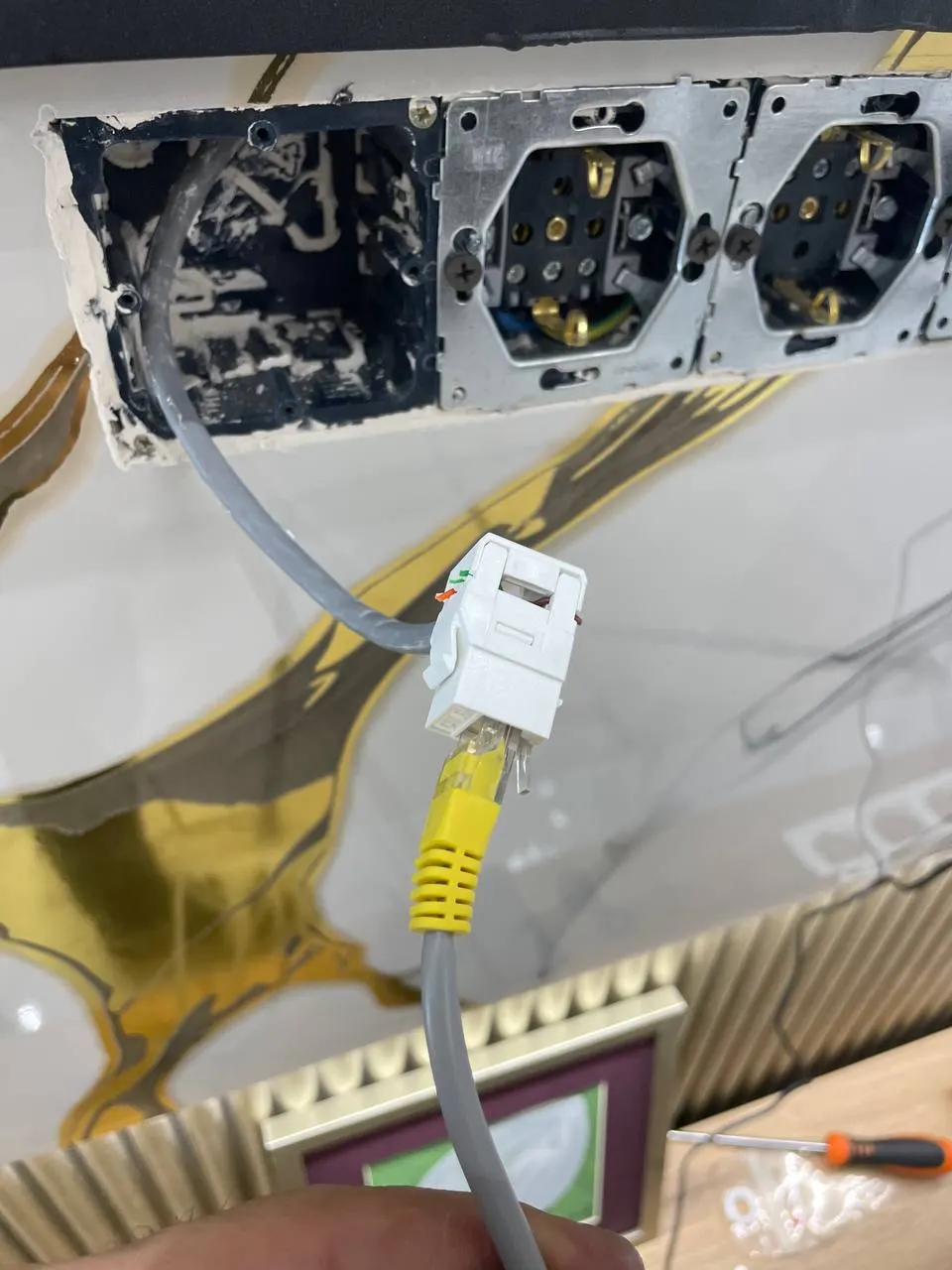
- The cable is coiled in the back box and the socket module is not connected to it — the most common case.
- The ends by the entrance are not crimped — no way to tell which cable comes from which room.
- One end is wired to T568A, the other to T568B: no signal.
- The cable was damaged while chasing the wall or plastering.
- The cable does not reach the place where the router stands.
A simple rule
If the cable ends by the entrance are not crimped, most likely nothing is connected in the room sockets either. That was the case every time I have seen it. So the whole line must be checked — from the entrance to every socket, not just one plug.
What you can safely check yourself
Do not take sockets apart yourself: a data socket often sits in one frame with 220 V power sockets. That is a job for someone who knows electrics.
- Take a working patch cord and connect a laptop to the data socket, and the other end of that line to the router. If the link light comes on, the line is alive.
- Check whether the cable ends by the entrance are crimped and labelled.
- Ask the renovation workers for a plan: which cable goes to which room.
- If nothing lights up in any room, the lines are almost certainly not connected.
How I do it
- I find which cable from the entrance goes to which room.
- I crimp RJ45 plugs at the entrance and connect them to the router.
- I open the sockets and terminate the cable on the module to T568B (carefully: 220 V is right next to it).
- I test every room and label the lines.
- I connect the TV, the TV box and the computer and set up Wi-Fi.
- I show and explain what was done — photos before and after.
What to check when you accept a renovation
- Ask the workers to test every data socket in front of you — with a laptop or a LAN tester.
- Photograph the walls with the cables before plastering — it makes finding them easier later.
- Have the cable ends at the entrance labelled: “bedroom”, “living room”, “TV”.
- The cable should be Cat 5e or Cat 6 twisted pair, with no splices or offcuts.
- Test the socket behind a heavy TV before the TV goes up.
What it costs
- Call-out and diagnostics — from 50 GEL (up to an hour of work).
- Internet, Wi-Fi, router, Smart TV — from 50 GEL.
- How many sockets and plugs need connecting, I will tell you on site after checking. Usually 1–1.5 hours when the lines are not connected.